Camera Settings in First Person Basketball
Stable Camera is the default after Nov 5 — Dynamic still lives in Settings.
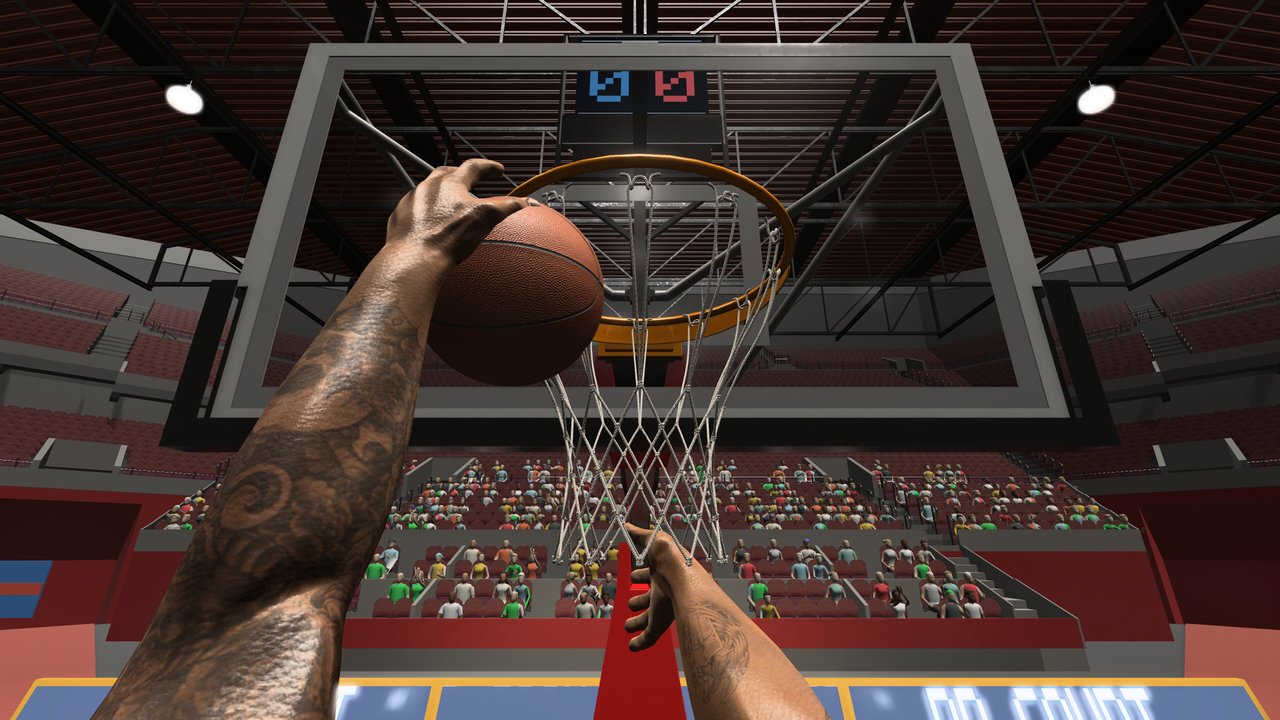
Camera choice shapes every possession in First Person Basketball. You already play through the player’s eyes; the question is how much extra motion the game adds while you sprint, rise, and contest. On November 5, 2026 — one day after the Steam launch — Stable Camera became the default. Dynamic Camera remains available in Settings for players who want a livelier feel. This guide explains what that change means, how to pick a mode, and how camera ties into shooting, dunking, and online 1v1–5v5 play.
Developer 纸上谈兵工作室 shipped the game on November 4, 2026 (Steam app 5478590). Pair this page with Controls so sensitivity and camera changes are not tangled, and with Getting Started if you are still installing on Windows 11 64-bit.
Stable Camera vs Dynamic Camera
Stable Camera (default after November 5, 2026)
Stable Camera prioritizes a steadier first-person frame. Benefits for most players:
- Easier rim tracking during jumpers and fadeaways.
- Cleaner read on dunk approaches after the same patch improved dunk framing.
- Less visual noise when learning steals and blocks.
- Better comfort during longer sessions, especially if first-person motion bothers you.
If you are new, leave Stable on. The patch made it the default intentionally — treat that as a design recommendation, not a temporary quirk.
Dynamic Camera (still in Settings)
Dynamic Camera keeps more motion in the view. Some experienced players prefer it for:
- A snappier sense of speed on drives.
- Extra feedback during contact and contests.
- Personal taste after they already own their shot timing.
Dynamic is optional. Switch to it only after you can hit open looks and finish dunks consistently on Stable. Changing to Dynamic will not unlock hidden shots; it changes presentation and feel.
How to switch camera modes
- Open Settings from the game menus.
- Find the camera option listing Stable and Dynamic.
- Select your mode and confirm.
- Enter practice alone and take ten jumpers plus five dunk attempts before you queue online.
- Adjust mouse sensitivity only after you decide the camera mode — change one variable at a time.
If you opened the Controls menu during this pass, return to practice and verify your hands render. November 5 fixed missing hands in practice after the Controls menu. Camera experiments and control checks often happen in the same sitting; keep the build updated so you do not confuse a fixed bug with a camera issue.
Why the default change matters
Launch-day players on November 4 may have learned muscle memory on a different default. After November 5:
- New installs start on Stable.
- Existing players should verify which mode they are actually on.
- Guides and tips across this wiki assume Stable unless stated otherwise.
If shots suddenly feel “off” after updating, check camera first, then sensitivity, then blame your release. Many “I forgot how to shoot” moments are accidental Dynamic/Stable mismatches between sessions.
Camera and shooting
Shooting needs a readable rim through the rise. On Stable:
- Square with the mouse, then Space, then release (How to Shoot).
- Fadeaways stay interpretable longer because the frame fights the lean less aggressively.
On Dynamic:
- Expect more view travel during the same fadeaway.
- Give yourself extra square time before you leave the ground.
- Re-drill hop-step jumpers before trusting deep perimeter attempts.
Do not evaluate Dynamic during a heated 5v5. Evaluate in practice with a make-percentage notebook.
Camera and dunking
Dunk approaches are depth-and-angle problems. Stable helps you keep the rim centered while WASD closes space. Combined with improved dunk framing from November 5, Stable is the best classroom for learning plant–Space timing (How to Dunk).
Dynamic can feel exciting on wing rams, but excitement is not accuracy. If your finishes sail or you lose the rim mid-gather, snap back to Stable for a week of reps.
Camera on defense
Steals and blocks need tracking, not cinema. Stable makes it easier to keep the ball handler in view while you mirror with A/D. Dynamic may make chase-down sequences feel more intense; intensity also hides late Space contests. Pick the mode that lets you see the gather, not the mode that looks cooler in a highlight.
Online play considerations (1v1–5v5)
Online sessions after November 5 also gained improved scoring replays and reduced multiplayer overhead. Use that smoother environment to A/B test cameras scientifically:
- Play two practice blocks on Stable; note comfort and makes.
- Play two short online sets on Stable.
- Only then try one practice block on Dynamic.
- If Dynamic wins on comfort and makes, keep it. If not, revert.
In 1v1, camera mistakes are obvious — every miss is yours. In 5v5, chaos can hide a bad camera choice under team noise. Prefer decisions made in smaller modes first. More session structure lives in Multiplayer.
Sensitivity pairing tips
Camera mode and mouse sensitivity interact:
- After switching to Stable, some players can raise sensitivity slightly because the frame is calmer.
- After switching to Dynamic, many players lower sensitivity to keep the rim catchable.
- Never change FOV-like options (if present on your build), sensitivity, and camera in one night.
Write down your final pair: Stable + sens X or Dynamic + sens Y. Share that with teammates so coaching advice makes sense.
Comfort and session length
First-person basketball can fatigue eyes and inner ears faster than third-person sports games. Stable Camera is the comfort-first option for longer AI grinds or multi-game online nights. Take breaks regardless of mode. The game is light on disk (~2 GB) and cheap (~$1.99), but your focus is the real resource.
Troubleshooting checklist
| Symptom | Try this |
|---|---|
| Rim slides during jumpers | Stable Camera; square before Space |
| Dunks feel hard to read | Update to Nov 5+; Stable; review framing |
| Hands missing in practice | Update; revisit practice after Controls (fixed Nov 5) |
| Online feels hitchy | Update for reduced multiplayer overhead; close heavy overlays |
| Shots worse after patch | Confirm camera mode did not change under you |
Practice plan: camera lock-in (20 minutes)
- 5 min — Stable, stationary jumpers only.
- 5 min — Stable, hop-step jumpers and two dunk angles.
- 5 min — Optional Dynamic repeat of the same shots; record makes.
- 5 min — Choose the winner and play one AI game without touching Settings again.
Commit for several sessions. Constant toggling prevents learning.
Related wiki links
- Guides Hub — All tutorials.
- How to Shoot — Aim pipeline that assumes a readable frame.
- How to Dunk — Approaches that benefit from Stable framing.
- Updates Hub — Future patch notes that may mention camera again.
Camera settings will not replace footwork, but the wrong mode can hide good footwork. Start from the November 5 Stable default, earn the right to try Dynamic, and keep sensitivity changes deliberate. That is how First Person Basketball stays readable from practice to online.
Frequently Asked Questions
Quick answers to the most common First Person Basketball questions.
What is the default camera after November 5, 2026?
Stable Camera is the default. Dynamic Camera remains available in Settings if you prefer more motion.
Which camera is better for learning to shoot and dunk?
Stable Camera. It keeps the rim easier to track during rises and approaches, and it pairs well with the November 5 dunk framing improvements.
Can I still use Dynamic Camera?
Yes. Open Settings, select Dynamic Camera, then re-test in practice before playing online 1v1–5v5.
Why did my aim feel different after updating?
The November 5 patch changed the default to Stable Camera. Confirm which mode you are on and retune mouse sensitivity only after that check.
Does camera mode affect multiplayer performance?
Camera mode is about view feel. Separately, the November 5 patch reduced multiplayer overhead and improved online scoring replays — update Steam to get those gains either way.