First Person Basketball Tools & Setup Helpers
Practical checklists that keep your camera, practice, and lobbies consistent.
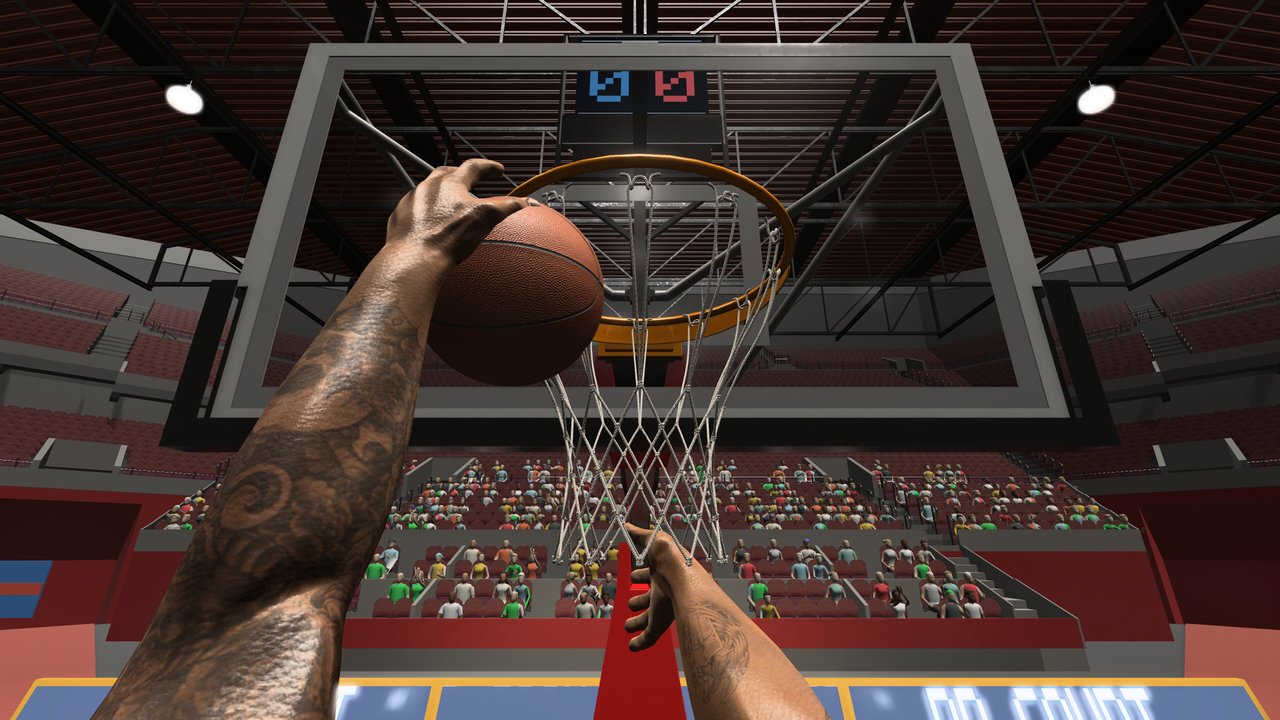
The Tools Hub collects practical setup helpers for First Person Basketball—the Steam first-person basketball game from 纸上谈兵工作室 (app 5478590). Unlike inventing fake calculators, this wiki focuses on settings discipline: camera mode, sensitivity, volume, practice-versus-online habits, and the version-match rule that protects multiplayer sessions.
Start with the featured guide: Settings Guide. Pair it with Controls for the WASD + Space + mouse layout, and with the Camera & Replay Patch notes whenever defaults change.
What “tools” means on this wiki
First Person Basketball does not ship a maze of crafting trees or gacha pity timers. The highest-leverage “tools” are habits and checklists:
- Camera tool — Choosing Stable vs Dynamic on purpose, not by accident after a patch default.
- Sensitivity tool — Finding a mouse speed that lets you track the rim on pull-ups without over-flicking layups.
- Practice tool — Using solo practice to rebuild jumper and dunk timing after animation or framing updates.
- Lobby tool — Confirming every player shares the same build before 1v1–5v5 online.
- Audio tool — Setting volumes so footsteps, crowd, and UI cues help rather than drown each other.
These sound basic. They decide whether the finishes ranked on the Tier List Hub actually convert on your machine.
Featured tool page
Settings Guide
Covers Stable Camera (default since the November 5, 2026 update for new players), Dynamic Camera still available, sensitivity tips, volume, practice versus online considerations, and the multiplayer version-match reminder. Read it after every major patch listed on the Updates Hub.
System Requirements
Windows 11 64-bit baseline, about 2 GB of storage (not RAM), Steam PC scope, and how to read blank CPU/GPU fields on the store page before you buy.
Troubleshooting
Practice hands after the Controls menu, camera jolts, online control interruptions, version mismatch, and what to include when you report issues.
How tools support guides
Guides teach what to do on the court. Tools keep your client configured so those lessons transfer:
| Goal | Guide | Tool habit |
|---|---|---|
| Learn release timing | How to Shoot | Stable camera + steady sensitivity in practice |
| Learn rim finishes | How to Dunk | Re-check dunk framing after camera patches |
| Learn inputs | Controls | Re-open settings after Controls menu visits (hands fix context) |
| Learn meta choices | Tier List Hub | Same settings when comparing finishes |
| Survive patches | Updates Hub | Version match + settings audit |
Recommended setup loop (15 minutes)
- Launch the game on the updated Steam build.
- Open Settings; note camera mode (Stable vs Dynamic).
- Set sensitivity where a slow rim track and a quick shoulder check both feel possible.
- Set volumes so you can hear useful cues without fatigue.
- Enter practice; shoot a mixed set of jumpers, layups, and dunks.
- If hands or framing look wrong, re-read Camera & Replay Patch.
- Only then queue AI or online.
Online checklist (pin this)
- Same game version for every player.
- Agree on whether anyone is experimenting with Dynamic while others stay Stable (rules are the same; comfort differs).
- Host clarifies room size: 1v1 up through 5v5.
- After scoring replays, wait for transitions before pausing spam—replay flow improved on November 5 but still deserves patience.
- If controls hitch mid-online play, swap notes on camera mode and recent menu visits; report actionable detail to the developer when possible.
Store and news verification tips live on the Links Hub. Onboarding context: Getting Started. About this fan resource: Wiki.
What we will not fake
No invented damage calculators, no fabricated RNG charts, and no placeholder “code redeem” widgets. First Person Basketball is a skill-forward sports sim at a low Steam price point; the honest tools are settings literacy and patch literacy. When the game adds official overlays or trainers worth documenting, they will appear as new child pages under this hub.
Growing this section
Future tool pages might include printable warm-up routines, sensitivity conversion notes between mice, or lobby host scripts for friendly rules. Until those exist, master the Settings Guide and keep your patch reading current. A clean setup makes every other wiki page more valuable—because you are finally practicing under the same conditions you will play.
Frequently Asked Questions
Quick answers to the most common First Person Basketball questions.
What tools does this hub offer?
Setup and settings helpers—especially the Settings Guide for camera modes, sensitivity, audio, practice habits, and online version matching—not fake calculators.
Where should I start?
Open the Settings Guide, confirm Stable vs Dynamic camera, then run a short practice warm-up before online play.
How do tools relate to guides?
Guides teach on-court skills; tools keep your client consistent so shooting and dunking lessons transfer between practice and lobbies.
Did a patch change default settings?
Yes. The November 5, 2026 update made Stable Camera the default for new players while leaving Dynamic available. Read the Camera & Replay Patch notes for details.