First Person Basketball System Requirements
Windows 11 64-bit, modest storage needs, and what Steam leaves blank.
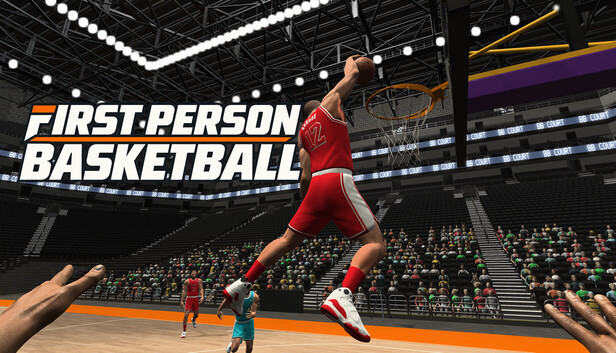
This System Requirements page translates the Steam store baseline for First Person Basketball (app 5478590) into plain language for buyers and troubleshooting. The game is a Windows PC title from 纸上谈兵工作室, sold on Steam only at this writing—there is no Roblox version and no console SKU covered here. Controls on court are WASD, Space, and the mouse across practice, AI, and online 1v1–5v5.
Always re-check the live store page before you buy; publishers can edit requirement blocks. Pair this article with the Settings Guide, Getting Started, Troubleshooting Guide, and the Links Hub for official store and news URLs.
Official baseline (as commonly listed)
Public store messaging around launch highlights:
- OS: Windows 11 64-bit
- Storage: about 2 GB available space
Read that second line carefully: 2 GB refers to STORAGE (disk / SSD space), not RAM. Players sometimes misread small storage footprints as memory requirements. If someone tells you the game “only needs 2 GB of RAM,” they are almost certainly confusing disk space with system memory. This wiki will keep repeating storage, not RAM because that mix-up causes bad purchase decisions and useless bug reports.
What “Windows 11 64-bit” implies
- Plan on a 64-bit Windows 11 install. Older OS targets are not promised by the published baseline.
- If you are still on Windows 10 or a 32-bit environment, do not assume compatibility—verify on Steam after reading the live requirements widget.
- Keep Windows Update reasonably current; first-person titles often inherit GPU driver and overlay quirks that show up as camera or input weirdness.
What “~2 GB storage” implies
- Free roughly 2 GB on the drive where Steam libraries live (plus Steam’s usual temp overhead while downloading).
- SSD vs HDD is not spelled out as a hard rule in the short baseline, but a healthy free margin on a responsive drive reduces install pain.
- Uninstall demos or old library leftovers if you are tight on disk—the demo lived under a separate app id (5484390) and is not a substitute for the full game after the November 4, 2026 release.
Empty CPU / GPU fields on Steam
Some store pages leave processor and graphics rows blank or sparsely filled even when OS and storage are listed. For First Person Basketball, treat empty CPU/GPU fields as “not fully specified on the store card,” not as “any potato GPU will be fine.”
How to verify before buying
- Open the official Steam store page for app 5478590 (links collected on the Links Hub).
- Read the System Requirements section in your language.
- Note anything Steam leaves empty—do not invent numbers for guides or friends.
- If you own a very low-end machine, use the demo period only while it exists; after full launch, rely on refund policy windows and honest playtests rather than rumor benchmarks.
- After install, if performance feels wrong, capture resolution, overlay status (Steam, Discord, GeForce, etc.), and whether you are in practice vs online before asking for help—see Troubleshooting.
This unofficial wiki will not fabricate GHz or VRAM figures that Steam does not publish.
Platform and purchase notes
- Platform: Steam on Windows PC.
- Release: Full release November 4, 2026 (demo ended at launch).
- Price context: Launch list price near US $1.99, with a roughly 15% introductory offer advertised into mid-November 2026 (confirm live pricing; intro timing was associated with an end date around November 18, 2026).
- Family Sharing: Steam Family Sharing rules apply when Steam enables sharing for the title—check the store’s sharing badge and Steam’s current Family Library rules rather than assuming every low-cost game shares identically forever.
- Languages: The store may list English plus additional interface or subtitle languages. Language availability can change; read the store’s languages block for the truth, then set your client language accordingly. This wiki ships multiple article languages for guides, but in-game language support is defined by the developer’s Steam listing—not by this fan site.
Launch narrative and first-session planning: Full Release Notes (Nov 4). Patch follow-ups: Updates Hub.
Modes vs hardware expectations
Practice, AI, and online 1v1–5v5 share the same client. Online sessions add networking, hosts/clients, and scoring replays. After the November 5, 2026 update, multiplayer processing overhead was reduced in places while animations and collisions were kept—still, a full 5v5 lobby is a harsher test than an empty practice gym.
Practical expectations
- Warm up in practice to separate “my PC is struggling” from “my jumper timing is cold.”
- If online feels heavier than practice, note party size and whether you hosted—useful for Troubleshooting and for reading Multiplayer habits.
- Camera jolts or control interruptions may still be investigated server-side or client-side; hardware is not always the villain. Document Stable vs Dynamic camera when you report issues (Settings Guide, Camera & Replay Patch).
Pre-purchase and pre-install checklist
- Confirm Windows 11 64-bit.
- Free about 2 GB storage (again: disk space, not RAM).
- Read live Steam requirements and price for app 5478590.
- Note any blank CPU/GPU rows without inventing specs.
- After purchase, install, launch once, then set camera and sensitivity deliberately.
- Run a short practice block from Getting Started before judging performance in a chaotic 5v5.
- Keep Steam and GPU drivers updated when chasing display or input weirdness.
How this page relates to other tools
- Settings Guide — Stable vs Dynamic, sensitivity, version matching.
- Troubleshooting Guide — Missing practice hands (addressed Nov 5), camera jolts, version mismatch, online interruptions.
- Getting Started — First-hour loop across modes.
- Links Hub — Store, news, and verification habits.
Closing
First Person Basketball’s published baseline is intentionally short: Windows 11 64-bit and roughly 2 GB of storage. Do not confuse that storage line with RAM. Do not invent CPU/GPU numbers when Steam leaves fields empty—verify on the store, install with honest expectations, and use practice before blaming hardware for online chaos. When something still feels wrong after a clean install, move to Troubleshooting with mode, camera, and version context in hand.
This page is unofficial. Steam’s live requirements widget always wins arguments.
Frequently Asked Questions
Quick answers to the most common First Person Basketball questions.
Does First Person Basketball need 2 GB of RAM?
No. The commonly listed ~2 GB figure is storage (disk space), not RAM. Always free enough drive space to install, and do not treat that number as a memory spec.
What operating system is required?
The published baseline highlights Windows 11 64-bit. Confirm the live Steam requirements block before buying if your PC differs.
Why are CPU and GPU fields empty on Steam?
Some listings leave processor and graphics rows unspecified. Treat blanks as unspecified—not as proof that any hardware will run well—and verify on the official store page.
Is the game on consoles or Roblox?
This wiki covers the Steam Windows PC release (app 5478590). There are no Roblox codes or console requirements documented here.
Where do I go if the game installs but feels wrong?
Use the Troubleshooting Guide with notes on mode, camera (Stable vs Dynamic), overlays, and version matching. Also skim the Settings Guide and Getting Started warm-up.