First Person Basketball Troubleshooting Guide
Practice hands, camera jolts, online control hiccups, and version mismatches.
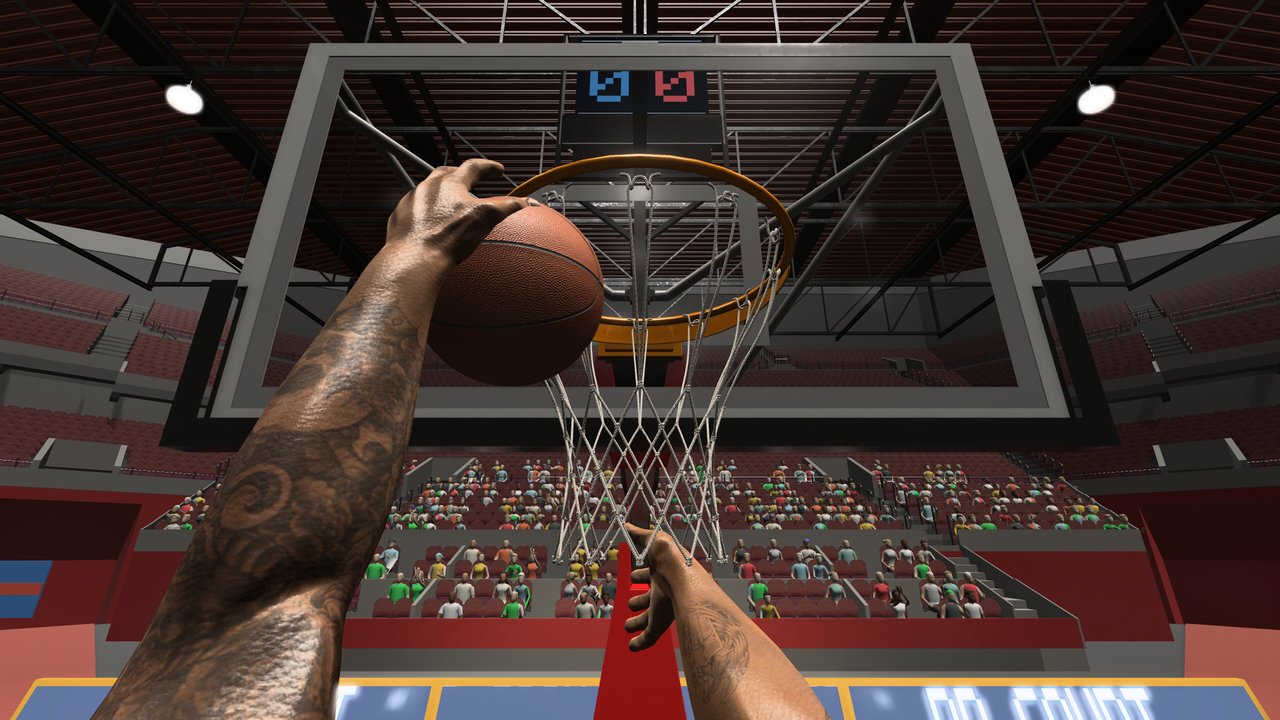
This Troubleshooting Guide is the symptom-first companion for First Person Basketball on Steam (app 5478590). The game is a first-person basketball title from 纸上谈兵工作室 using WASD, Space, and the mouse in practice, AI, and online 1v1–5v5. Many launch-week complaints were presentation or session issues—not missing “codes” (this is not Roblox) and not mysterious paywalled unlocks.
Deep patch context: Camera & Replay Patch (Nov 5). Comfort settings: Settings Guide. Online habits: Multiplayer. Inputs: Controls. Hardware baseline: System Requirements—remember the ~2 GB line is storage, not RAM.
Before you chase ghosts
Run this five-minute gate every time something feels “broken”:
- Update Steam and the game, then fully restart the client (not only the overlay).
- Confirm friends are on the same game version before online play.
- Note camera mode: Stable or Dynamic.
- Reproduce once in practice before blaming multiplayer.
- Disable extra overlays temporarily if the screen hitch matches overlay hotkeys.
If you skip version matching, you will mis-diagnose desync as “input lag” or “broken replays.” The November 5 notes explicitly remind players to align builds before online sessions.
Missing hands in practice (addressed November 5)
Symptom: Shooting arms disappear after you visit the Controls menu and return to practice. Releases become guesswork because you lose the first-person hand feedback that timing depends on.
Status: The November 5, 2026 Camera, First-Person Animation and Online Replay update addressed this flow. Update, restart, and re-test.
Re-test checklist
- Enter practice.
- Open Controls / settings the way you normally would.
- Return to practice.
- Take ten jumpers and five layups.
- Confirm both arms and ball interaction stay visible through gather and release.
If hands still vanish on a current build, record the exact menu path, camera mode, and whether you came from AI or online earlier in the session. Then keep drilling with How to Shoot only after visibility is solid. Patch narrative: Camera & Replay Patch.
Camera jolts
Symptom: Occasional abrupt camera pops or jolts during movement, gathers, finishes, or transitions.
Status: Called out as still under investigation around the November 5 package. Not every jolt is your sensitivity being “wrong,” but sensitivity and camera mode still matter for comfort.
What to try
- Reproduce on Stable Camera (default for new players after Nov 5) and again on Dynamic if you use it—both share gameplay rules; comfort differs.
- Lower mouse sensitivity one step and re-test gathers; huge DPI + high in-game sens amplifies every micro-spike.
- Avoid changing camera mid-possession during a test block.
- Note whether the jolt hit in practice, AI, or online, and whether a replay or pause was involved.
Settings deep dive: Settings Guide. Camera-oriented guide content also lives under Camera Settings if you want a dedicated camera read alongside this troubleshooting flow.
Online control interruptions
Symptom: Inputs feel ignored or interrupted during online play—sometimes near scoring replays, pause menus, or busy 3v3–5v5 moments.
Status: Interruptions to online controls were also listed as needing more work after November 5, even as non-host scoring replays and some multiplayer processing overhead improved.
Mitigation habits
- Wait for replay → gameplay transitions to settle before spamming move or pause.
- Host and clients should update together; remake the room after a mid-session patch.
- Test the same move in practice. If practice is clean and only online fails, prefer a network/session report over a “controls remapping” rabbit hole.
- Keep party size and host identity in your notes when reporting.
Lobby discipline: Multiplayer. Input map sanity check: Controls.
Version mismatch headaches
Symptom: Friends see different fixes, odd desync, missing replay behavior, or “we updated but it still feels old.”
Cause (common): Mixed builds across the party. Steam may finish an update on one PC while another friend is still mid-download or skipped a restart.
Fix
- Everyone watches for Steam update toasts on app 5478590.
- Everyone restarts the game after the download completes.
- Confirm verbally or via screenshot that versions match.
- Host only when the party is aligned.
- If someone joins late on an old build, remake after they update.
This habit is repeated on the Settings Guide and Camera & Replay Patch pages because it prevents false bug reports.
Stable vs Dynamic comfort problems
Symptom: Aim feels floaty, dunks are hard to read, or you feel motion discomfort.
Clarification: Stable is the default for new players after November 5; Dynamic remains available; existing preferences are preserved; gameplay rules match across both.
Decision drill
- Set Stable. Make ten jumpers, five layups, five dunks.
- Set Dynamic. Repeat the same twenty shots.
- Keep the mode where the rim stays readable at the gather.
- Re-check dunk framing after the animation/camera pass—see How to Dunk.
If you are evaluating finishes for meta reasons, return to the Tier List Hub only after your camera choice is stable for a full session.
Performance and install basics
Symptom: Long load times, install failures, or stutter that appears even in practice.
Check first:
- Windows 11 64-bit baseline from System Requirements.
- Roughly 2 GB free storage (disk space—not RAM).
- Live Steam requirements widget—do not invent CPU/GPU numbers when fields are empty.
- GPU drivers and conflicting overlays.
- Verify game files through Steam if the install looks corrupted.
Practice should be your baseline. If practice is smooth and only full 5v5 stutters, include party size in any report and skim multiplayer overhead notes from the November 5 patch write-up.
How to report bugs with useful context
Developers can act on reports that answer:
- Mode: practice, AI, or online
- Camera: Stable or Dynamic
- Players in session and who hosted
- Version alignment: did everyone match?
- Action in progress: drive, gather, shoot, dunk, pause, replay, Controls menu return
- Repro rate: once, sometimes, always
- Hardware sketch: OS build, rough GPU class, whether storage was critically low
Paste those bullets into Steam discussions or official channels linked from the Links Hub. Avoid “game broken fix asap” posts with zero context.
Symptom → next page map
| Symptom | Start here | Then read |
|---|---|---|
| Hands missing in practice | Update + re-test | Camera & Replay Patch |
| Camera jolts | Stable vs Dynamic drill | Settings Guide |
| Online inputs interrupted | Version match + replay patience | Multiplayer |
| Friends desync / uneven fixes | Same build restart | Settings Guide |
| Dunks hard to read | Framing re-test both cameras | How to Dunk |
| Install / OS / disk confusion | Specs page | System Requirements |
| “Where are the codes?” | Nowhere—Steam PC game | Links Hub |
Closing
Most First Person Basketball troubleshooting is boring on purpose: update, restart, match versions, pick a camera deliberately, reproduce in practice, then report with context. The November 5 patch fixed missing practice hands and improved dunk framing and online replays, while camera jolts and some online control interruptions still deserved careful reports. Use this page as the triage desk, then jump to Settings, Controls, Multiplayer, System Requirements, or the Camera & Replay Patch for the deep dive that matches your symptom.
Stay precise. Warm up offline. Align builds. That workflow fixes more “mystery bugs” than any fake code list ever will.
Frequently Asked Questions
Quick answers to the most common First Person Basketball questions.
My shooting arms disappeared in practice—what do I do?
Update to the November 5 2026 build or newer, restart, then re-test the Controls→practice path. That missing-hands flow was a focus of the camera and animation patch.
Are camera jolts fully fixed?
Occasional jolts were still under investigation around the Nov 5 notes. Reproduce on Stable and Dynamic, note the action and mode, and include that context in reports.
Why do online controls feel interrupted?
Some online control interruptions remained known issues while replays and processing improved. Wait out replay transitions, match versions, and compare against clean practice inputs.
Should I switch from Dynamic to Stable to fix problems?
Stable is the default for new players and often feels calmer, but both modes share gameplay rules. Choose the mode where the rim stays readable; switching is for comfort and reproduction, not a secret ruleset.
What details make a good bug report?
Mode, camera type, party size, host vs client, version match status, and the exact action when the issue hit—plus OS/storage basics if install or performance is involved.